
Tour the Manager iPad organizer workspace
A visual tour of the nine-view operator shell: the tournament list, Entries, Brackets, Schedule, and the Live table board, all XCUITest-captured from deterministic fixtures.
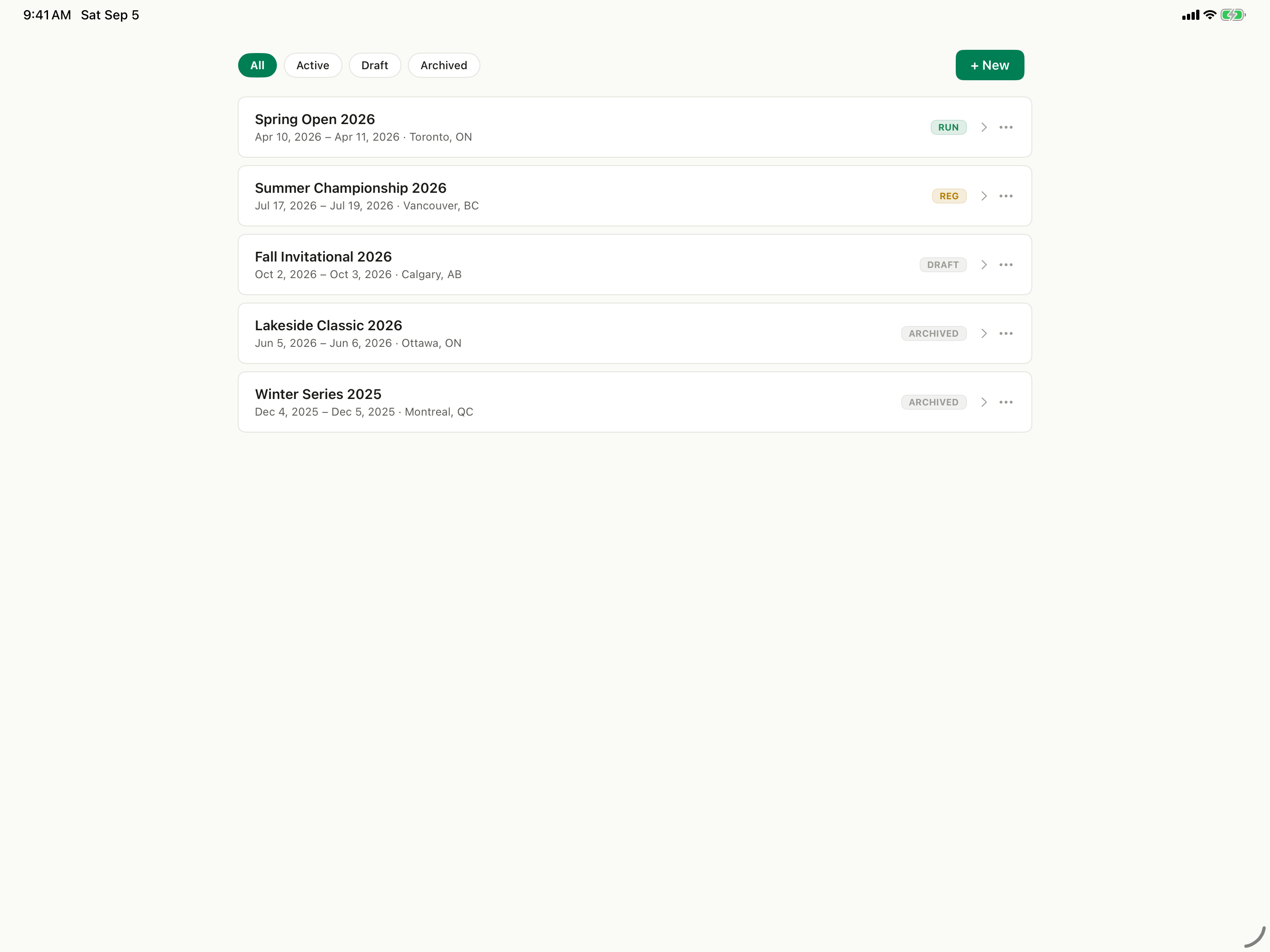
Choose the tournament
The organizer shell opens on the tournament list. Filter with All, Active, Draft, or Archived, read each row's lifecycle pill, and use + New to start one. This is the full organizer workspace, not the focused Table mode built for table officials.
Step-by-step tutorial
- 1Understand the product boundary
Choose the tournament
The organizer shell opens on the tournament list. Filter with All, Active, Draft, or Archived, read each row's lifecycle pill, and use + New to start one. This is the full organizer workspace, not the focused Table mode built for table officials.
- 2Read the roster
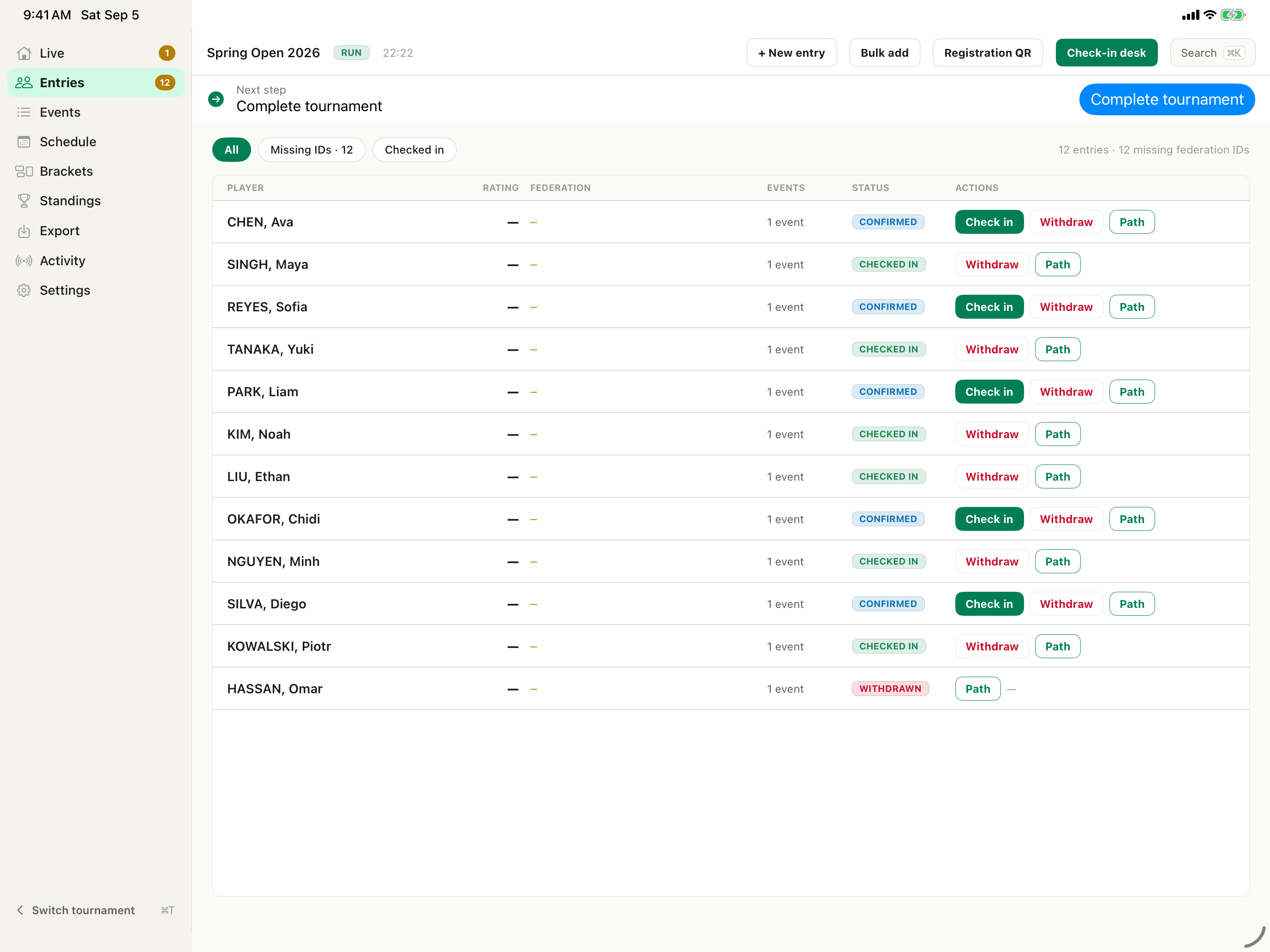
Open Entries
Opening a tournament reveals the nine-view sidebar: Live, Entries, Events, Schedule, Brackets, Standings, Export, Activity, and Settings. Entries is the roster table, with Player, Rating, Federation, Events, Status, and Actions columns.
- 3Review before progression
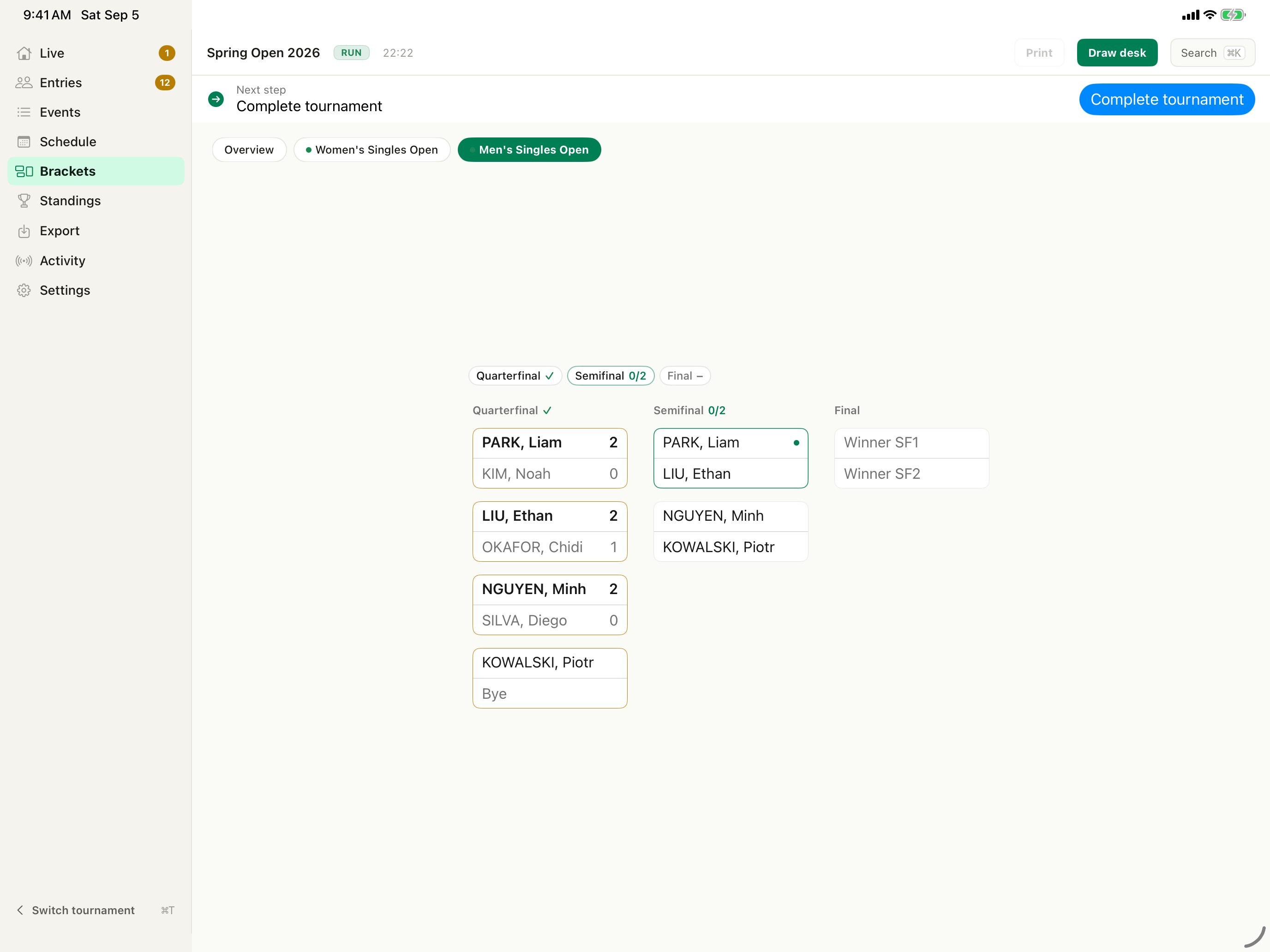
Review the draw in Brackets
Brackets lands on a cross-event Overview with nothing selected. Pick an event chip to load its board — Men's Singles Open renders a single-elimination Main Draw across Quarterfinal, Semifinal, and Final columns.
- 4Place matches on tables
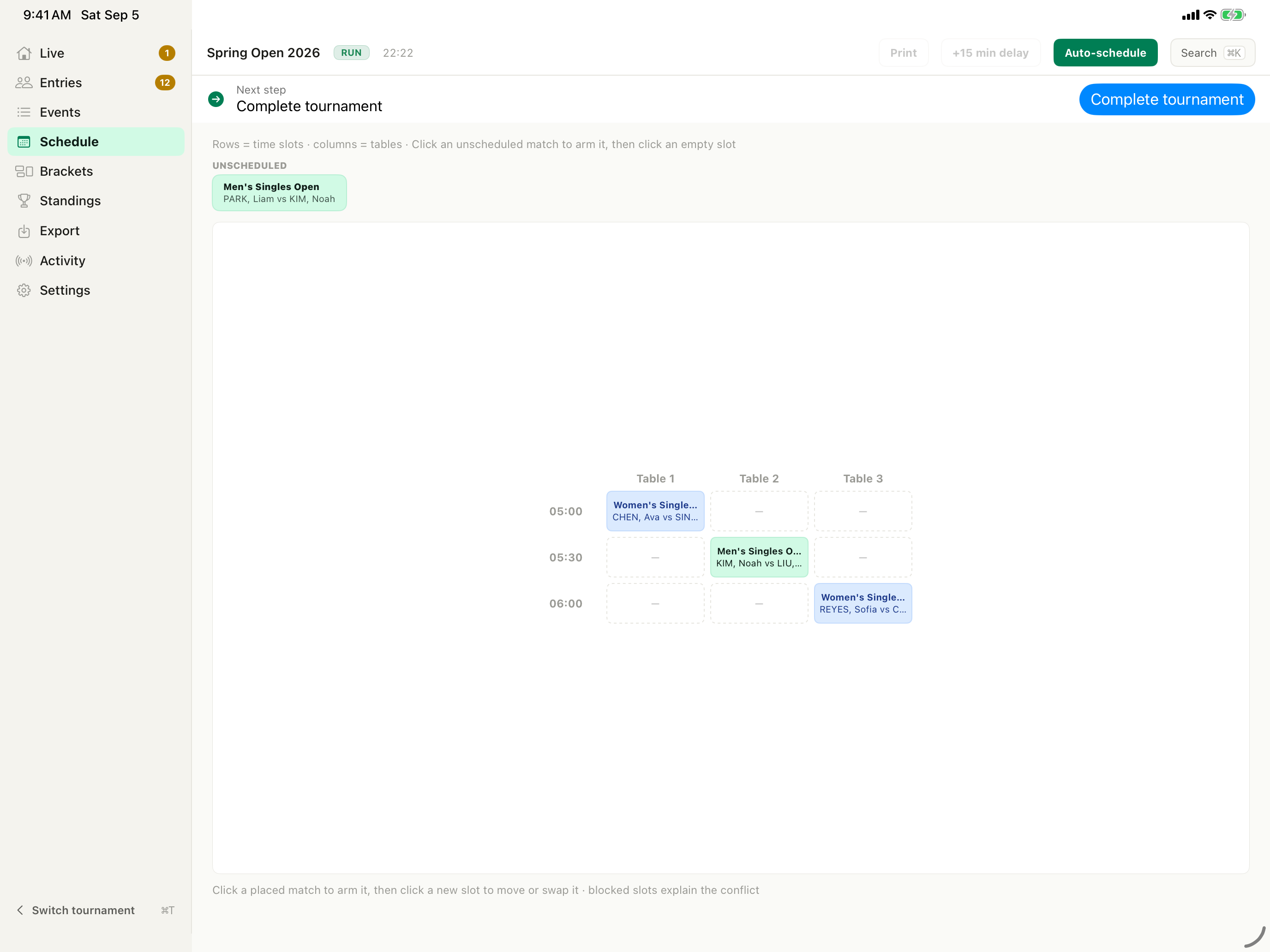
Inspect the Schedule grid
Rows are time slots and columns are tables. Matches still waiting for a slot sit in the Unscheduled rail above the grid, and Auto-schedule fills the remaining slots with a server-side algorithm.
- 5Move into live operations
Finish at Live
Live is the tournament window's default view and it is table-keyed: one card per physical table, filtered by All, Running, Idle, or Needs attention. Use the event-day runbook for the operational detail.
Open the live-floor guide →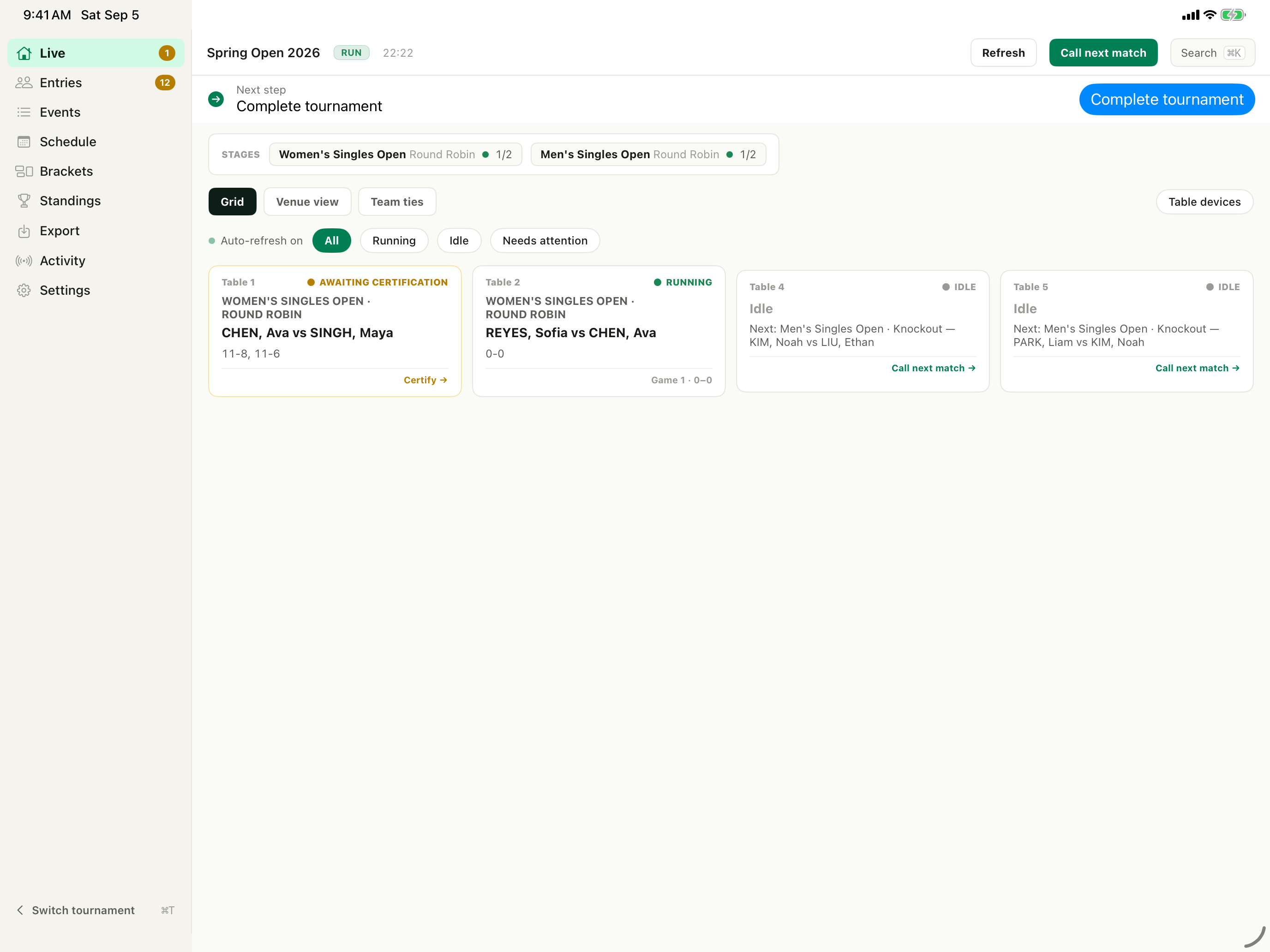
Transcript and step index5 chapters · searchable on this page
Is the full Manager iPad organizer workspace the same as Table mode?
You can submit feedback anonymously without names, contact details, IP addresses, or device identifiers.
Product evidenceVerified 5 steps against source
Verified against repository commit c5f02497f (September 5, 2026). Interface illustrations use current product labels; screenshot frames use synthetic XCUITest fixture data.
apps/manager-mac/UITests-iOS/ManagerScreenshots.swiftapps/manager-mac/Sources/iMatchManager/ScreenshotFixtures.swiftapps/manager-mac/Tests/iMatchManagerTests/ScreenshotFixturesTests.swiftapps/manager-mac/Sources/iMatchManager/ShellV2/V2Tab.swiftapps/manager-mac/Sources/iMatchManager/ShellV2/FeatureFlags.swift